Forensic Evidence Tool for Windows

Safe workwith digital evidence

EvidLock preserves, analyses and documents digital evidence in a single environment — from the first checksum to the finished report. All of it locally: no cloud, no account, nothing sent anywhere.

CORRELATION GRAPH — LIVE

15 RULES — every edge carries a rule, a confidence level and its stated limitations

0 bytes

sent outside your machine

15 rules

of explicit evidence correlation

8 modules

Player · View · Commander · Carver · Voice · Tracker · Network · Sandbox

SHA-256

at every stage of the work

Modules

Eight independent workbenches in one application

Each module opens as its own window and works on the same case material — no intermediate exports, no copying paths between tools.

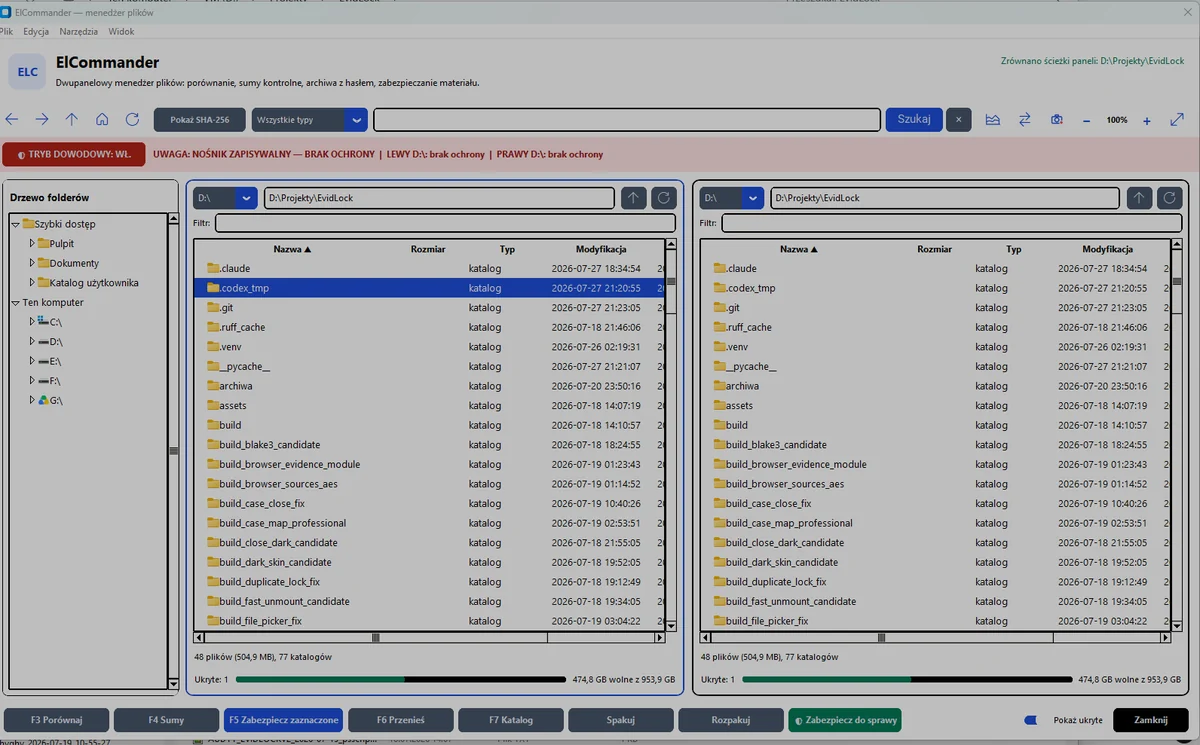
ElCommander

Dual-pane inventory with evidence mode

A file manager that computes checksums on the fly and warns you when the medium is writable — before you make a mistake.

  • directory comparison and difference detection
  • SHA-256 for selected files and entire trees
  • ZIP AES-256, 7Z and TAR.GZ archives, plus preservation into the case

RequirementsWindows 10 or 11, 64-bit. The 7-Zip component. Auto-Blocker needs administrator rights.

More about this feature →

ElCommander — two file panes, evidence mode and checksum bar

ElNotes

A notepad and a workbench for suspicious content

Notes pinned to case files, next to a workbench for examining text you do not want to run: indicators, hidden links, invisible characters, decoding and code preview. Nothing is executed and nothing goes out to the network.

  • notes and PDF export together with named links
  • indicators, hidden links and invisible characters in text
  • static inspection of PDF links — without opening the file

RequirementsWindows 10 or 11, 64-bit. OCR in PDFs and images needs the Tesseract component.

ELTracker

Mobile traces from multiple preserved sources

Local analysis of iOS backups, Android trees, shared storage, backup.ab and Google Takeout without modifying the source.

  • recordings and voice-activity transcripts
  • contacts, accounts, SIM data, Chrome queries and autofill
  • HTML, PDF, XLSX, CSV and JSON reports with a SHA-256 manifest

ElView

Reviewing and preserving photographs

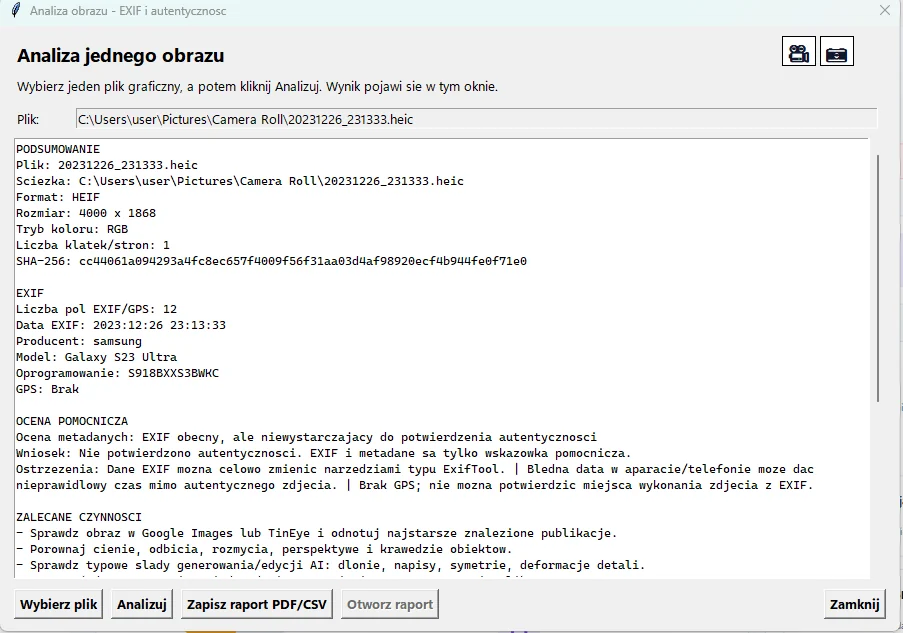
Photographic material review with cropping, EXIF and HEIC metadata reading, and every file preserved with a SHA-256 checksum.

  • interactive reports with markers placed on the photographs
  • image and camera metadata analysis
  • direct hand-off from ElCarver results

RequirementsWindows 10 or 11, 64-bit. No extra components.

More about this feature →

Single image analysis: EXIF metadata, SHA-256 and photograph authenticity assessment

ElPlayer

Surveillance footage, frame by frame

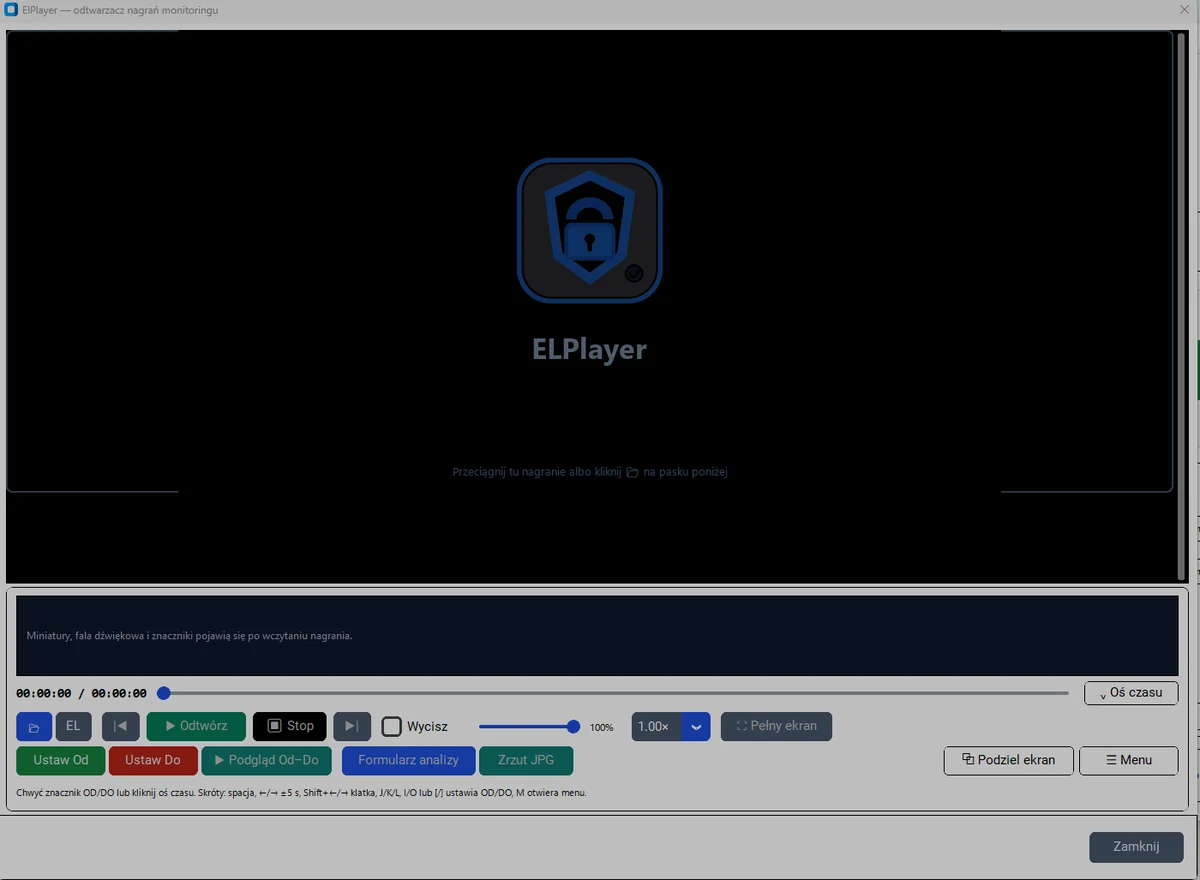
A player built for evidentiary material: precise CFR and VFR timeline, From–To markers, multi-camera support and split screen.

  • frame captures to JPG and export of a selected range
  • analysis form with annotations stored alongside the recording
  • keyboard shortcuts for frame-by-frame work

RequirementsWindows 10 or 11, 64-bit. The FFmpeg component; transcription uses the Whisper component.

More about this feature →

ElPlayer — player window with timeline, From–To markers and tool panel

ELVoice

Voice recordings: description and comparison

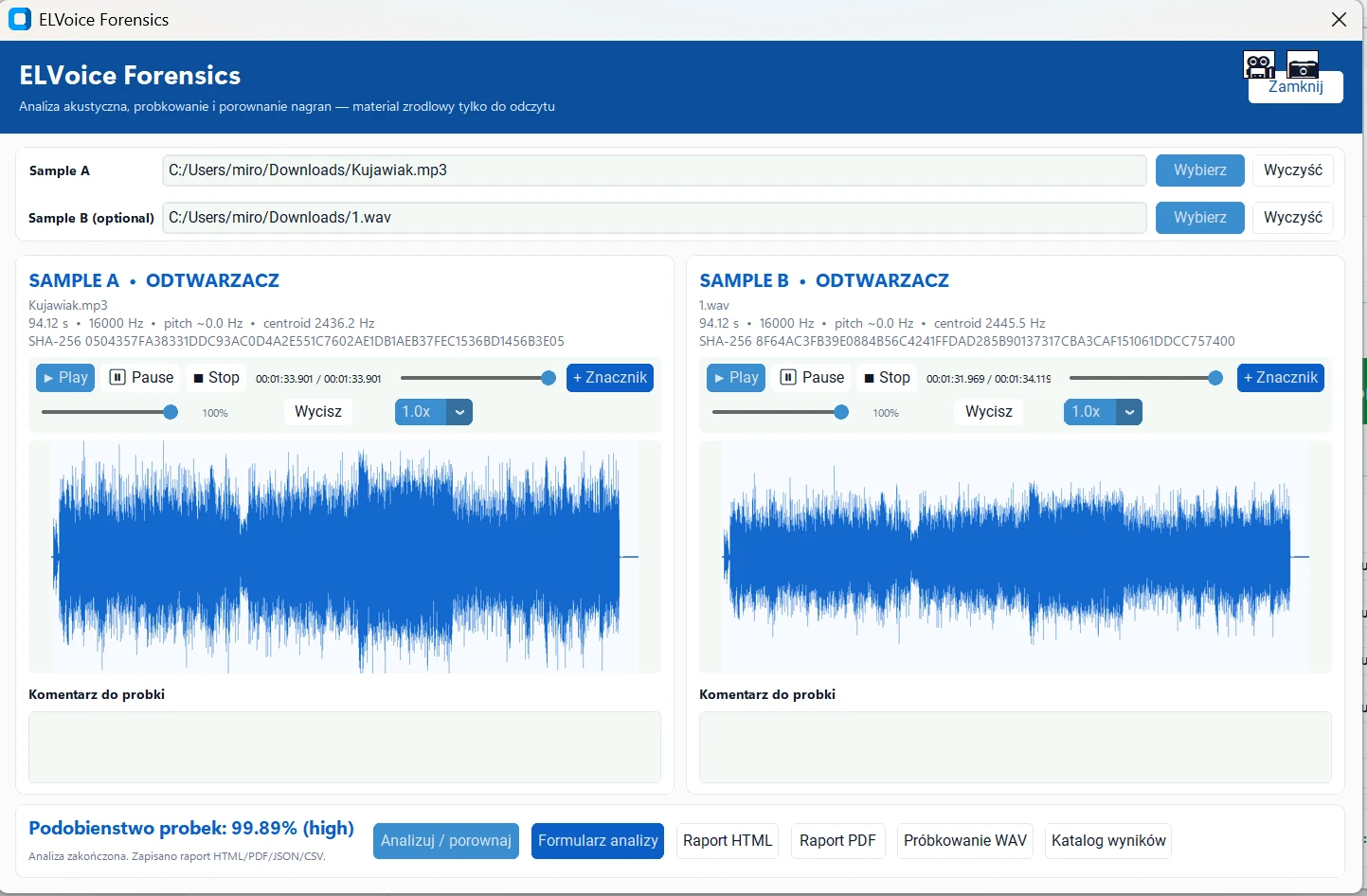
Audio sample analysis performed entirely on your workstation. Waveform, spectrogram and a comparison of two recordings with the method stated openly.

  • twenty audio and video formats, including AMR, Opus and the audio track of an MP4
  • waveform and spectrogram saved as files for the report
  • comparison result with a verbal band and its limitations spelled out

RequirementsWindows 10 or 11, 64-bit. The FFmpeg and Whisper components, the latter with an offline model.

More about this feature →

See a sample ELVoice report

ELVoice Forensics — voice sample analysis window with waveform and spectrogram

ELSandbox

An unknown file runs outside your system

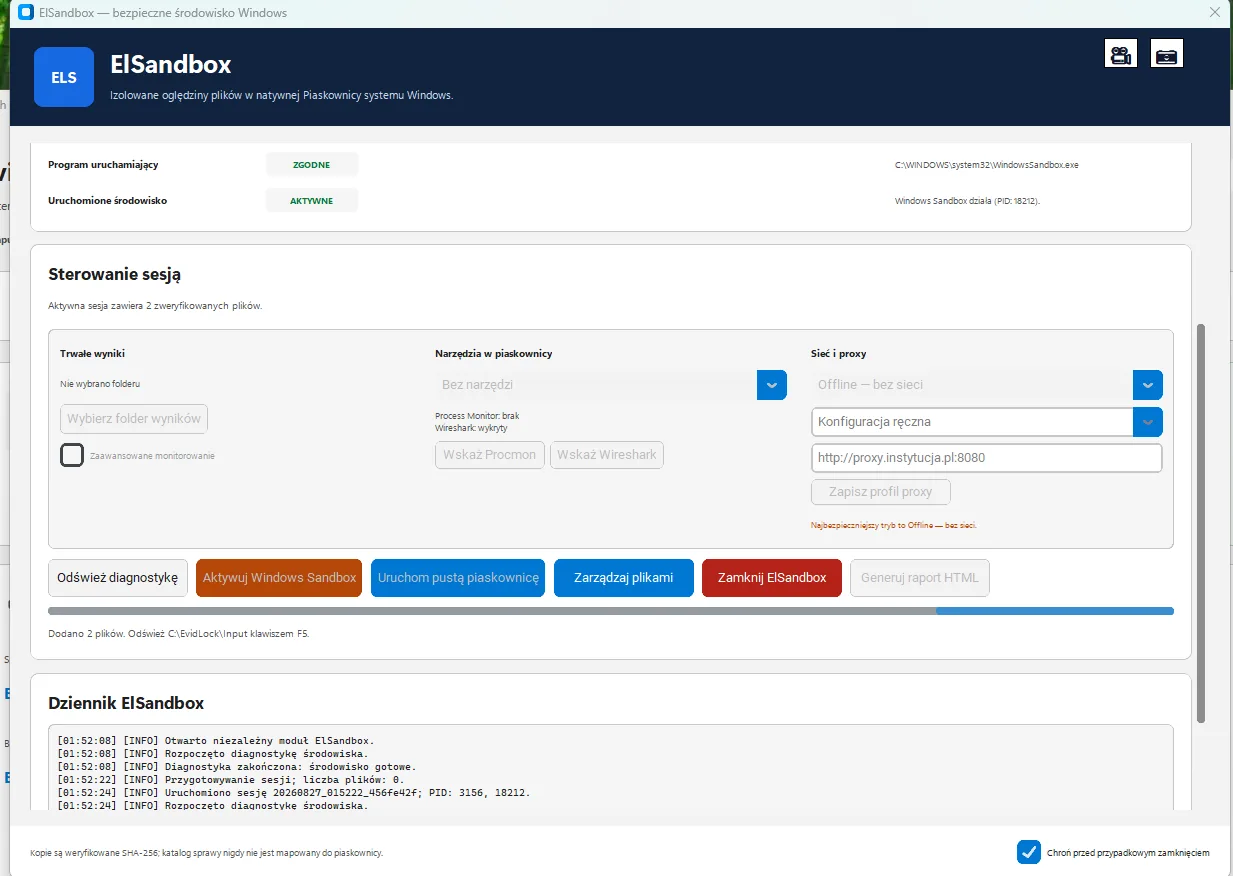
A controlled session in the native Windows Sandbox. Only a copy of the material verified by its SHA-256 checksum reaches the guest, mounted read-only — the case folder is never mapped, so not even a malicious file can reach it. The session starts from a protection profile with the clipboard, microphone, camera, printers and vGPU switched off, and the guest running in protected mode. The results folder is mounted writable only when you ask for it, and it is the only thing that comes back from the sandbox to your workstation. After the session closes you are left with a report carrying the checksums of the copy and the results, plus the session journal — the part that goes into the case file. Before it starts, ElSandbox checks whether the environment allows it at all: the Windows edition, the state of the Sandbox feature and firmware virtualisation — and it can switch that feature on. Every session gets its own working folder with separate input, control and output subfolders.

  • the material copy mounted as C:\EvidLock\Input, read-only
  • the case folder is never visible to the guest
  • clipboard, microphone, camera, printers and vGPU switched off
  • network offline, direct or through a proxy — offline by default
  • Process Monitor and Wireshark added as read-only resources
  • the results folder is writable only on the operator's request
  • HTML report with SHA-256 checksums of the copy and results, plus the session journal
  • pre-flight environment check: Windows edition, Sandbox state, virtualisation
  • behaviour monitoring written to the output folder
  • named proxy profiles — HTTP/HTTPS only, no credentials in the address
  • session memory 4096 MB by default, never below 2048 MB

RequirementsWindows 10 version 1903 (build 18362) or newer, in the Pro, Enterprise or Education edition — Home editions have no Windows Sandbox. The Containers-DisposableClientVM feature must be enabled and firmware virtualisation available; enabling the feature needs administrator rights and a system restart.

More about this feature →

ELSandbox — Windows Sandbox diagnostics, session controls, network profile and event journal

ElCarverin testing

Recovering deleted files

Recovery of deleted files: a logical mode on NTFS, FAT32 and exFAT, and deep signature carving. The source is opened read-only.

  • physical disks as well as RAW, E01 and AFF4 images

RequirementsWindows 10 or 11, 64-bit. No extra components.

More about this feature →

ELNetwork

A traffic capture, two engines at once

Analysis of PCAP captures with Suricata and Zeek in a single pass. The capture stays untouched.

  • alerts, connections, DNS, HTTP and TLS in one listing

RequirementsWindows 10 or 11, 64-bit. The TShark/Wireshark component.

More about this feature →

Honestly, about the limits of the tool

EvidLock organises and correlates artefacts, but it does not automatically attribute actions to a person. Every link in the graph carries an explicit rule, a confidence level and its stated limitations — you draw the conclusions and you defend them.